
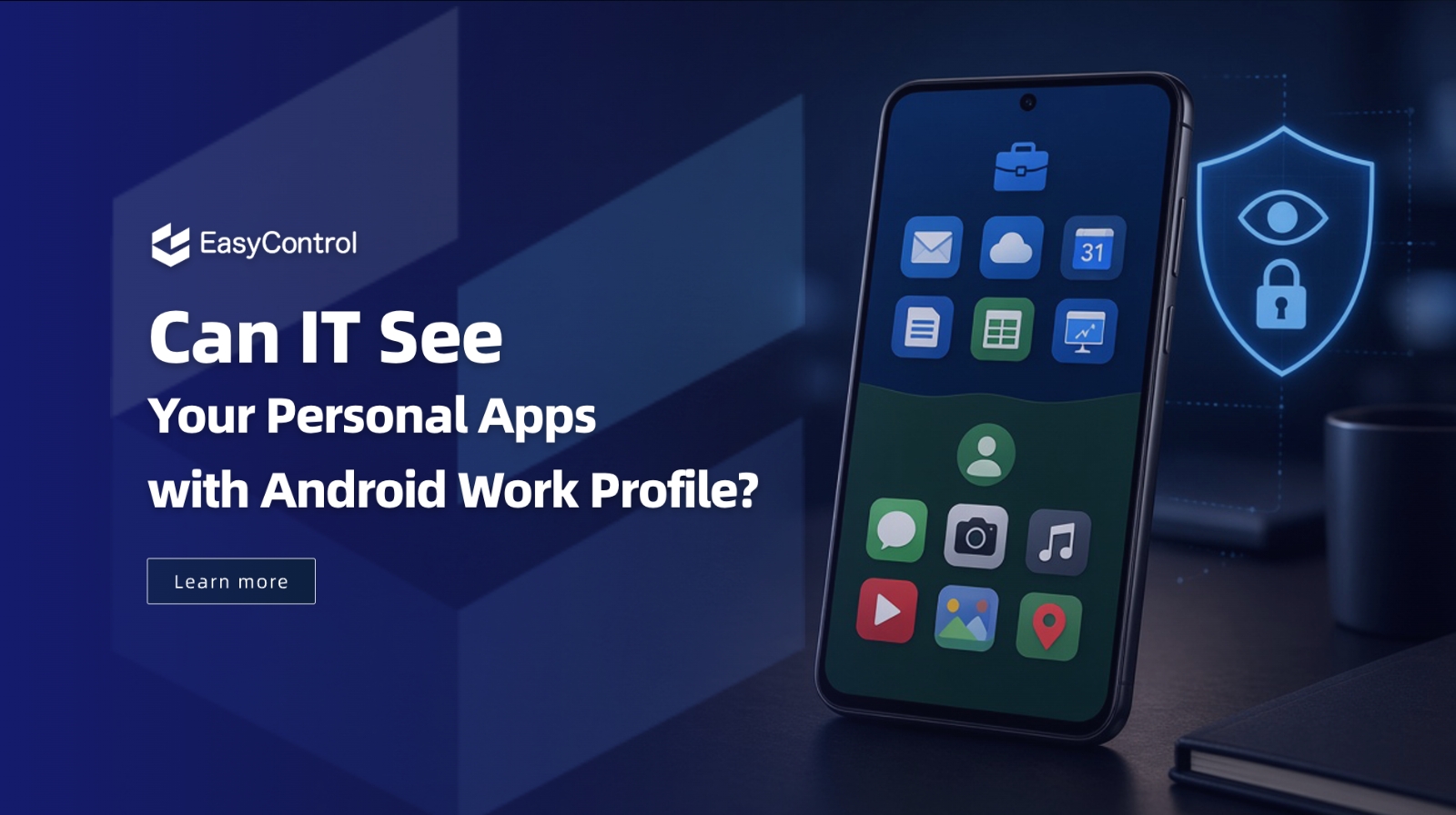
Have you ever noticed a second version of Gmail, Chrome, or Microsoft Teams on an Android phone with a small briefcase icon attached to it?
That little icon represents something more important than a duplicate application. It indicates that the app belongs to an Android Work Profile, a separate environment designed to keep professional and personal activities apart.
As more employees use smartphones for both work and personal activities, businesses face a difficult question: how can they protect company information without interfering with employee privacy?
Android Work Profile offers a practical solution to this problem.
What Is a Work Profile App on Android?
A work profile app is an application installed within a separate, managed work environment on an Android device. It allows employees to access business applications and company information without mixing them with personal apps and data.
Work applications typically display a small briefcase icon, making them easy to distinguish from personal applications.
For example, an employee might have two versions of Gmail on the same smartphone. One contains personal emails, while the other provides access to company communications.
Although both applications run on the same device, their application data remains separate.
Businesses can manage work applications through a compatible mobile device management (MDM) platform while employees continue using their personal applications independently.
How Does an Android Work Profile Actually Work?
Think of an Android Work Profile as two separate working environments inside one smartphone.
The personal environment contains private messages, photographs, social media applications, and other personal information. The work environment contains business applications, corporate accounts, and managed company data.
When an organization configures a Work Profile, its IT department can establish policies for the managed environment.
These policies may determine which applications employees can install, how business information can be shared, and what security requirements must be followed.
| Personal profile | Work profile |
|---|---|
| Personal emails | Corporate emails |
| Personal photos | Business documents |
| Personal applications | Approved business applications |
| Personal accounts | Managed corporate accounts |
| Primarily controlled by the employee | Managed by the organization |
This separation helps businesses maintain control over corporate information without requiring unrestricted access to an employee's personal activities.
Why Do Businesses Use Android Work Profiles?
1. Employees Can Use One Phone Instead of Two
Carrying separate smartphones for personal and professional activities isn't always convenient.
Employees need to charge two devices, manage separate notifications, and switch between phones throughout the day.
Android Work Profile allows organizations to provide access to corporate applications on a compatible personal device.
This approach is particularly useful for businesses implementing bring-your-own-device (BYOD) policies.
Employees can access company resources without carrying an additional smartphone, while organizations retain management control over the work environment.
2. Business Information Stays Separate From Personal Data
Imagine an employee downloading a confidential company document and accidentally sharing it through a personal messaging application.
Without appropriate restrictions, sensitive information can move outside the organization's controlled environment.
Android Work Profile allows administrators to configure supported data-sharing restrictions between work and personal profiles.
Combined with a broader data loss prevention strategy, these controls can help reduce the risk of accidental information exposure.
The objective isn't to prevent employees from using their smartphones normally. It's to establish appropriate boundaries around business information.
3. IT Teams Can Manage Business Applications Remotely
Manually configuring business applications on every employee's smartphone can become time-consuming.
With Android MDM, administrators can distribute approved applications to managed work profiles, configure supported application settings, and manage application availability.
For instance, a company introducing a new internal communication platform can make the application available through Managed Google Play rather than asking every employee to install it independently.
This makes application deployment more consistent and reduces unnecessary support requests.
Through remote device management, administrators can also monitor supported management information and perform authorized remote actions.
4. Employees Get Greater Control Over Their Privacy
One of the biggest concerns employees have about workplace device management is whether their employer can access personal information.
Can the IT department read private WhatsApp messages? Can it browse personal photographs or see personal browsing history?
On personally owned Android devices with a standard Work Profile, administrators generally cannot access the contents of personal applications through Work Profile management.
However, company-owned devices with work profiles may allow additional device-wide management controls.
Understanding Android Work Profile privacy helps employees know what their organization can manage and what remains private.
Businesses should clearly communicate these boundaries before enrolling employee devices.
5. Employee Offboarding Becomes Easier
What happens when an employee leaves a company but still has corporate applications and documents on their personal smartphone?
Without a proper management process, former employees could retain access to sensitive business information.
With a managed Work Profile on a personally owned device, administrators can remove the work environment and its associated data without performing a full factory reset.
Personal photographs, applications, and messages remain unaffected by standard Work Profile removal.
Organizations should still revoke corporate account access and active sessions as part of their offboarding process.
What Is the Difference Between a Work Profile and a Fully Managed Android Device?
Not every employee needs the same level of device management.
A sales representative using a personal smartphone has different requirements from a warehouse employee operating a company-owned tablet.
| Feature | Android Work Profile (BYOD) | Fully managed Android device |
|---|---|---|
| Device ownership | Typically employee-owned | Company-owned |
| Personal applications | Separate from work apps | Subject to organizational policies |
| IT management scope | Primarily work environment | Broader device-level management |
| Personal data privacy | Greater separation | Depends on device configuration |
| Best use case | BYOD and flexible working | Dedicated corporate devices |
For dedicated business tablets, organizations may prefer stricter configurations such as Android kiosk mode.
The right approach depends on device ownership, employee responsibilities, and organizational security requirements.
Can Employees Turn Off Their Android Work Profile?
Yes. Android generally allows employees to pause their Work Profile, although availability may depend on device configuration and organizational policies.
When the Work Profile is paused, work applications and their notifications are temporarily disabled.
This can be useful after working hours, during weekends, or while employees are on vacation.
Instead of receiving continuous business notifications, employees can maintain a clearer separation between their professional and personal lives.
How EasyControl UDM Helps Businesses Manage Android Work Profiles
Creating a Work Profile is only one part of managing employee devices. Businesses also need a consistent way to distribute applications, configure security policies, and maintain visibility into managed environments.
EasyControl UDM offers a centralized approach to managing supported Android devices and business applications.
Organizations can use compatible management capabilities to simplify device enrollment, establish application policies, and manage corporate device environments.
For businesses operating Android smartphones, tablets, and other connected devices, unified device management can help reduce the complexity of managing separate device ecosystems.
Frequently Asked Questions
Is a work profile app safe?
Android Work Profile is designed to isolate work applications and data from the personal environment. Its security and privacy capabilities depend on the device configuration, enrollment type, and organizational policies.
Can my employer see my personal applications?
On a personally owned device with a standard Work Profile, employers generally cannot view personal application contents or personal application inventory through Work Profile management. Company-owned device configurations may provide broader controls.
Does Android Work Profile require a separate phone?
No. It allows employees to maintain separate personal and work environments on a single compatible Android device.
What happens if I delete my Work Profile?
Removing a Work Profile deletes its associated work applications, accounts, and locally stored work data. Personal data generally remains unaffected by standard Work Profile removal.
Final Thoughts
A work profile app is more than an additional application on an Android smartphone. It represents a practical approach to balancing business security with employee privacy.
For organisations, Android Work Profile provides a way to manage corporate applications and protect sensitive information. For employees, it offers greater separation between their professional and personal lives.
With an appropriate management strategy and a compatible solution like EasyControl UDM, businesses can create a more secure, flexible, and manageable mobile working environment.
 Never miss a story from us, get weekly updates in your inbox.