
Introduction
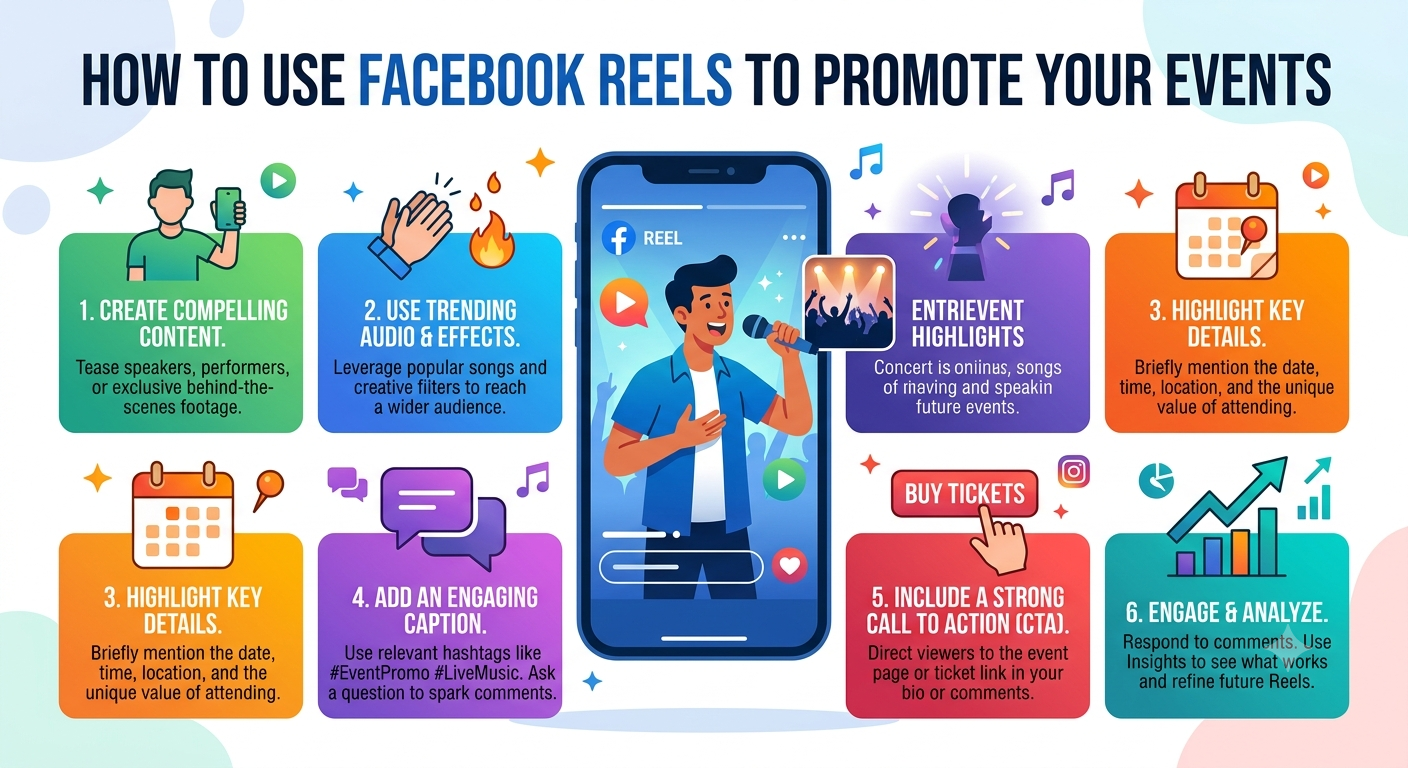
If you want more people to attend your event, Facebook Reels can become one of your most effective marketing tools. Whether you're organizing a concert, webinar, product launch, workshop, festival, or local community gathering, short-form videos help you grab attention faster than static posts.
A well-planned Reel can generate excitement, increase shares, and encourage registrations within hours. While many creators also use tools like F2DOWN to save their own promotional videos for editing or republishing across different platforms, the real success comes from creating engaging, authentic content that motivates people to take action.
Why Facebook Reels Are Powerful for Event Promotion
Facebook continues prioritizing short-form video in its algorithm because users spend more time watching engaging Reels than reading long text posts.
Benefits include:
Higher organic reach
Increased audience engagement
Better event awareness
More shares and comments
Improved brand visibility
Increased registrations
Instead of telling people about your event, show them why they should attend.
Understand Your Audience Before Creating Reels
Successful event promotion begins with knowing your audience.
Ask yourself:
Who is attending?
What problems does the event solve?
Why should they care?
What emotions will motivate them?
For example:
Business Conference
Highlight:
Speakers
Networking
Industry insights
Success stories
Music Festival
Show:
Artists
Crowd excitement
Venue
Behind-the-scenes setup
Local Community Event
Focus on:
Family activities
Food
Entertainment
Community participation
The better your Reel matches audience interests, the better its performance.
Create Attention-Grabbing Reels
Your first three seconds determine whether someone keeps watching.
Strong opening ideas
"Big announcement!"
"Only 100 seats left!"
"Guess who's speaking?"
"You don't want to miss this."
Use:
Fast cuts
Bright visuals
Clear captions
Trending music
Large readable text
Always include your event name early.
Show Behind-the-Scenes Content
People enjoy seeing what happens before the event.
Ideas include:
Venue preparation
Staff introductions
Stage setup
Equipment testing
Decoration process
Rehearsals
Behind-the-scenes videos create trust and build excitement.
Highlight Guest Speakers or Performers
Instead of simply posting a flyer, let your speakers introduce themselves.
Ask them to record:
What they'll teach
Why they're excited
What attendees will gain
These authentic clips often receive higher engagement than traditional advertisements.
Count Down to the Event
Countdown Reels create urgency.
Examples:
30 Days Left
14 Days Left
One Week Remaining
Tomorrow's the Day
Each countdown can reveal something new:
Venue
Giveaways
Agenda
Entertainment
Special guests
Use Trending Audio Carefully
Trending music helps improve discoverability.
However:
Ensure it matches your event style.
Keep the volume balanced.
Make spoken information easy to hear.
For educational or business events, calm background music often performs better than loud trending songs.
Some marketers also save their original event clips using Facebook download video HD tools solutions to edit them for multiple campaigns, ensuring they reuse only content they own or have permission to use.
Add Clear Calls-to-Action
Every Reel should tell viewers what to do next.
Examples include:
Register today
Reserve your seat
Buy tickets
Visit our website
Join the event
Save this date
Avoid ending without direction.
Optimize Your Reels for Maximum Reach
Follow these best practices:
Use vertical video.
The 9:16 format works best.
Keep Videos Short
Aim for:
15–45 seconds
Under one minute
Include Captions
Many users watch videos without sound.
Write Strong Captions
Include:
Event details
Date
Location
Registration link
Use Relevant Hashtags
Examples:
#FacebookReels
#LiveEvent
#BusinessConference
#MusicFestival
#Workshop
#CommunityEvent
Cross-Promote Your Reels
Don't rely only on Facebook.
Share your Reel on:
Instagram Reels
Stories
WhatsApp
LinkedIn
X
Email newsletters
Many businesses keep master copies of their promotional videos using trusted tools like a Facebook to MP3 converter when extracting audio from content they created themselves for podcasts or promotional edits. Always respect copyright and only download content you own or have permission to use.
Analyze Performance and Improve
Track important metrics after publishing.
Watch:
If viewers stop watching after five seconds, improve your opening hook.
If people watch until the end but don't register, strengthen your call-to-action.
FAQs
1. How often should I post Facebook Reels before an event?
Posting three to five Reels each week during the month leading up to your event keeps your audience engaged without overwhelming them. Increase posting frequency during the final week to build urgency.
2. What type of Facebook Reel gets the most engagement for events?
Behind-the-scenes videos, countdowns, attendee testimonials, speaker introductions, and exciting event highlights typically generate the highest engagement because they feel authentic and create anticipation.
3. Can I reuse my event videos across different platforms?
Yes. Repurposing your own event videos for Instagram Reels, YouTube Shorts, TikTok, and LinkedIn is a smart marketing strategy. Many organizers also use tools like download FB video downloader to save their original content for future editing and distribution.
4. Is it safe to extract audio from my own Facebook videos?
Yes. If you own the content or have permission, using a Facebook to MP3 converter or accessing a Facebook audio download link can help you repurpose speeches, interviews, or promotional audio for podcasts and other marketing materials.
5. How can I measure whether my Facebook Reels are successful?
Monitor views, watch time, shares, comments, saves, profile visits, link clicks, and event registrations. Compare these metrics across multiple Reels to identify which content drives the best results and refine your strategy over time.
Conclusion
Facebook Reels have become one of the most effective ways to promote events because they combine visual storytelling with strong organic reach. By creating engaging videos, showcasing behind-the-scenes moments, highlighting speakers, using countdowns, sharing testimonials, and including clear calls-to-action, you can attract more attendees and increase event awareness.
Focus on creating valuable, authentic content that connects with your audience rather than simply advertising. Analyze your performance, experiment with different Reel formats, and consistently improve your approach. When repurposing your own promotional content, tools like F2DOWN, Facebook download video HD, or Facebook audio download link solutions can support your workflow while ensuring you use content responsibly.
 Never miss a story from us, get weekly updates in your inbox.